SMS quiet hours vs quiet days: clock window vs banned calendar days
Quiet hours vs quiet days for SMS: definitions, comparison table, Iran fashion eCRM example, Leadara mapping, FAQ.

Reza Ahmadi
SEO and content strategy for organic traffic and brand visibility in search results.
September 23, 2026 · 9 min read
Also available in فارسی
What is the difference between SMS quiet hours and quiet days?
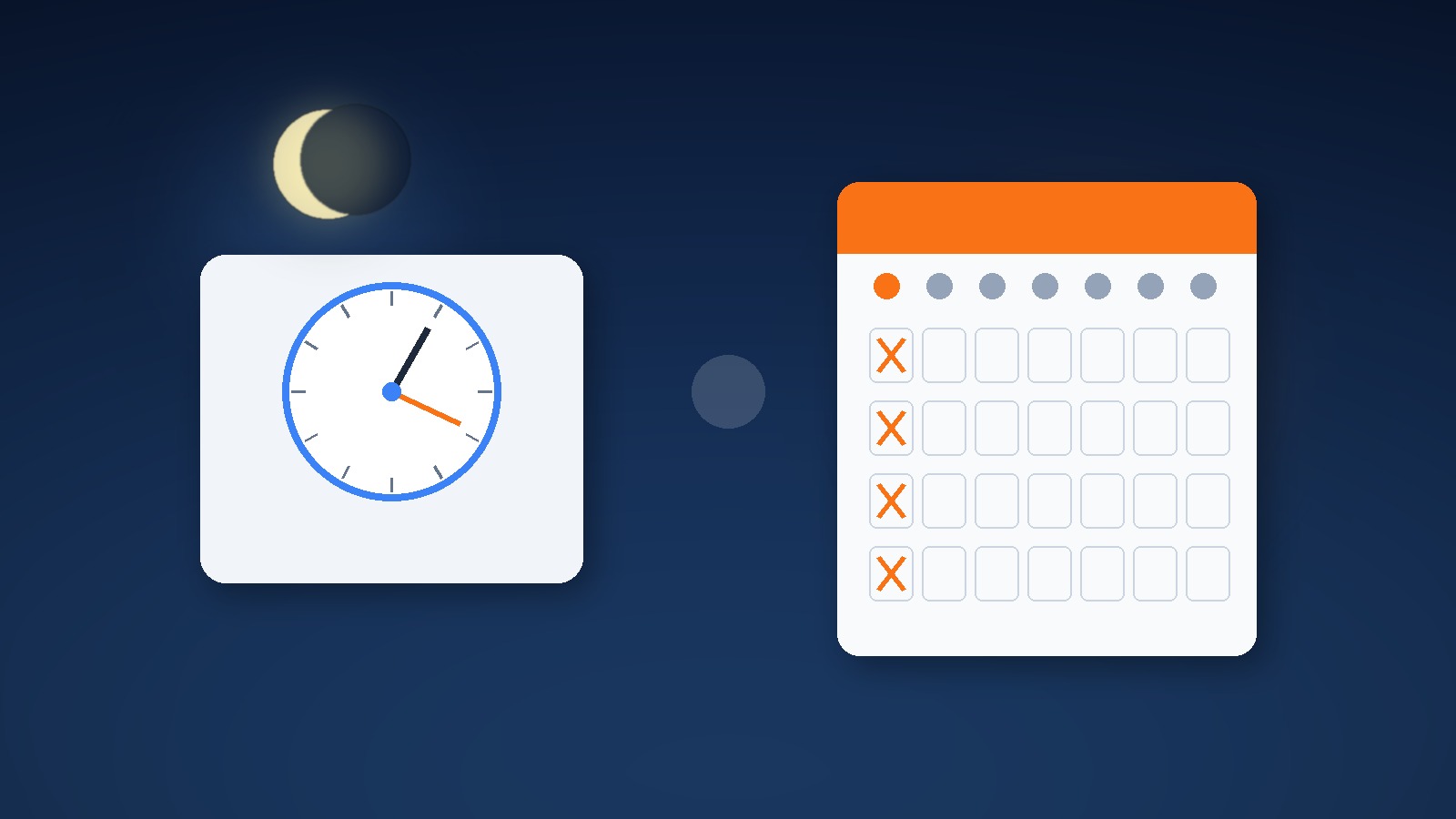
Quiet hours block promotional SMS inside a daily clock window in the recipient's local time (for example 21:00–08:00). Quiet days block entire calendar days — Sundays, public holidays, or other banned dates — regardless of the clock.
One-line for eCRM teams: quiet hours = a nightly curtain on the clock; quiet days = X marks on the calendar. Both protect people and compliance; they answer different questions.
Iranian shops often set “do not SMS after 9pm” and think the job is done. Then a Friday holiday blast still fires at noon, or a weekend nurture SMS lands on a quiet family day. Clock rules and calendar rules are not interchangeable. Pair this with how promotional and transactional SMS differ: Transactional vs promotional email/SMS.
How do quiet hours work?
Quiet hours are a time-of-day gate. When a journey or campaign is about to send SMS, the engine checks the recipient's local hour. If the hour sits inside the blocked window, the send is held, skipped, or deferred until the window opens — depending on product rules.
Typical design choices:
- Window definition: e.g. 21:00–08:00 local, or 22:00–09:00 for stricter brands.
- Timezone source: profile timezone, last-known city, or account default (risky for travelers).
- Defer vs drop: hold until 08:01, or cancel this touch and continue the path.
- Channel scope: SMS only, or SMS + email + push with different windows.
- Transactional carve-out: OTP, shipping alerts, and payment receipts usually bypass quiet hours; promos do not.
Quiet hours alone do not know that today is a national holiday. They only know the clock.
How do quiet days work?
Quiet days are a calendar gate. The engine checks the send date (local or brand calendar) against a list: every Sunday, Nowruz holidays, religious observance days your brand respects, or country-specific banned SMS days.
Typical design choices:
- Recurring weekdays: e.g. block Sundays forever.
- Holiday calendar: import national holidays for Iran (or France Sundays + holidays, as some EU stacks do).
- Brand-specific blackouts: inventory freezes, mourning periods, election blackouts.
- Defer vs drop: push to next open day at preferred hour, or skip the touch.
- Interaction with quiet hours: on an allowed day, quiet hours still apply; on a quiet day, the whole day is closed.
Quiet days alone do not stop a 23:30 SMS on a normal Tuesday. You still need the clock window.
| Dimension | Quiet hours | Quiet days |
|---|---|---|
| What it guards | Clock window each day | Named calendar days |
| Question answered | “Is this hour OK?” | “Is this date OK?” |
| Typical examples | 21:00–08:00 local | Sundays, public holidays |
| Timezone sensitivity | High (local hour) | Medium (local date line) |
| Holiday awareness | None by itself | Explicit calendar |
| Transactional carve-out | Common for OTP/shipping | Often still allow urgent transactional |
| Failure mode if missing | Nighttime promo SMS | Holiday / Sunday promo blast |
| Right home | Night courtesy + local law | Cultural / legal day bans |
Iran eCRM example: fashion SMS after 9pm and on holidays
A mid-size apparel brand in Tehran runs a cart SMS flow and a weekly promo blast. Ops set quiet hours 22:00–09:00 and celebrated. Two weeks later:
- A customer abandoned cart at 21:40; the “wait 30 minutes” SMS fired at 22:10 — inside quiet hours because the wait ignored the gate.
- Nowruz week still sent “20% off spring” at 11:00 on a closed holiday — quiet hours said the clock was fine; nobody loaded quiet days.
- A shipping SMS at 23:00 correctly went out (transactional carve-out), which confused the team until they separated promo vs transactional.
Diagnosis
| Symptom | Likely gap |
|---|---|
| Promo SMS after 22:00 | Quiet hours missing on that journey step, or defer not wired |
| Holiday noon promo | Quiet days calendar empty |
| OTP blocked at night | Carve-out too aggressive — transactional should pass |
| Same person gets Sunday + late-night promo | Both gates incomplete |
| “We have quiet hours” but Sundays still fire | Clock ≠ calendar |
Practical fix
- Define quiet hours 21:00–08:00 Asia/Tehran for promotional SMS only.
- Load quiet days: Fridays if brand policy, plus official holiday list for the year.
- On journey SMS steps: if inside quiet hours or quiet day → defer to next open slot (e.g. next day 10:00), do not drop revenue touches silently without a rule.
- Keep transactional SMS (order confirmed, shipped, OTP) outside promotional quiet gates.
- Log suppress/defer reasons so support can explain “why no SMS last night.”
For flow vs one-shot SMS design, see SMS flow vs SMS campaign.
When quiet hours, when quiet days, when both?
- Night courtesy and local “no calls/SMS late” norms → quiet hours.
- Cultural or legal full-day bans → quiet days.
- Almost every serious SMS program needs both.
- Prefer defer-to-open-slot for cart and browse recovery; prefer skip for soft nurture if the day already passed relevance.
- Never rely on “manual ops remembers holidays.”
Leadara mapping: events, segments, journeys, email/SMS
Leadara works with events, segments, journeys, email, and SMS. Quiet hours and quiet days are send-time guards on top of that model — not a separate product category.
- Events:
cart_updated,checkout_started,order_completed,sms_consent_granted— entry still comes from behavior; gates apply at send time. - Segments: build suppress or defer audiences (e.g. “inside quiet window now” is usually engine-side; segment people who opted out of promo SMS entirely).
- Journeys: after waits, before SMS action, apply quiet-hours + quiet-days checks; branch defer vs continue.
- Email vs SMS: email may tolerate later hours; SMS should be stricter. Do not copy email schedule blindly onto SMS.
- Transactional vs promotional: wire carve-outs so shipping/OTP never sit behind promo quiet days unless law requires it.
Quiet gates sit next to scheduling logic, not instead of automation: Marketing automation vs scheduling.
Common mistakes
- Setting quiet hours and calling the calendar problem “solved”
- Blocking transactional SMS with promotional quiet rules
- Using account timezone instead of recipient local time
- Dropping cart SMS silently overnight instead of deferring to morning
- Hard-coding one year’s holidays and forgetting the next Nowruz table
- Judging success only by “messages sent” instead of STOP rate and complaints
FAQ
What is the difference between quiet hours and quiet days for SMS?
Quiet hours block a daily clock window; quiet days block entire calendar dates. You usually need both.
Do quiet hours use the brand clock or the customer clock?
Prefer the recipient’s local timezone. Brand HQ time fails for travelers and multi-city lists.
Should transactional SMS respect quiet hours?
Usually no for OTP, payment, and shipping. Promotional and soft nurture should. Confirm local regulations.
What happens to a cart SMS that lands at 22:30?
Best practice: defer to the next open morning slot (e.g. 09:30), still inside the same journey, instead of sending late or deleting the touch without a rule.
Are Fridays quiet days in Iran?
Policy choice. Some brands treat Friday as a soft quiet day for promo SMS; others only block official holidays. Document the rule.
Can quiet days replace frequency capping?
No. Quiet days stop sends on banned dates; frequency capping limits how many messages one person gets in a rolling window.
How do quiet hours relate to send-time optimization?
STO picks a “good” hour inside allowed windows. Quiet hours define the hard fence; STO optimizes inside the fence.
Does Leadara need a separate “DND product”?
You compose DND with journey send guards, segments for consent, and clear transactional vs promotional channel rules on email/SMS.
Bottom line and next step
Quiet hours = nightly clock curtain; quiet days = calendar X marks. This week: (1) lock 21:00–08:00 promo SMS quiet hours with defer-to-morning, (2) load this year’s holiday quiet days, (3) verify OTP/shipping still pass. Measure STOP and complaint rate for two weeks against the old “send whenever” baseline.
14-day rollout checklist
Days 1–2: list every SMS journey and campaign; mark promo vs transactional.
Days 3–5: enable quiet hours + defer policy on cart/browse flows.
Days 6–8: import holiday quiet days; add Friday policy if needed.
Days 9–11: QA with test profiles in evening and on a fake holiday date.
Days 12–14: compare STOP, defer counts, and recovered revenue vs prior fortnight.
| Gate | Question | Typical promo rule |
|---|---|---|
| Quiet hours | Hour OK? | No SMS 21:00–08:00 local; defer |
| Quiet days | Date OK? | No promo on holidays (+ optional Friday) |
| Consent | Allowed channel? | SMS opt-in required |
| Cap | Too many already? | Frequency cap separate |
Team language: clock or calendar?
In standup, if someone says “we have quiet mode,” ask: clock window, calendar days, or both? If they only mention “after 9,” they have quiet hours. If they only mention “no Sundays,” they have quiet days. Write both on the board next to transactional carve-outs.
| Say | Means |
|---|---|
| Quiet hours / night window | Clock fence |
| Quiet days / holiday blackout | Calendar fence |
| STO | Best hour inside the fence |
| Frequency cap | Person budget, not time fence |
Go-live checks before the next holiday
- Is promo SMS quiet hours enabled on every journey step that can fire at night?
- Is defer-to-open-slot documented (not silent drop)?
- Is the 2026 holiday list loaded for quiet days?
- Do OTP and shipping SMS bypass promo gates?
- Are timezone fields populated for the majority of SMS contacts?
- Can support see “deferred: quiet hours” in logs?
- Is STOP rate on a dashboard next to send volume?
Without item 7, “we added quiet mode” stays a slide, not an operating system.
Boundary with campaign scheduling
Quiet hours/days are recipient protection fences. Campaign scheduling is brand calendar intent (Friday 11:00 blast). Automation can still start from events; fences apply at send. Do not replace event-triggered flows with only scheduled blasts just because quiet days exist.
If the team only schedules weekly SMS, add quiet days to that calendar first, then bring cart flows under the same fences so customers get one coherent night/holiday policy.
Healthy signals after enabling both gates
| Signal | Means |
|---|---|
| Night promo SMS ≈ 0 | Quiet hours work |
| Holiday promo SMS ≈ 0 | Quiet days work |
| Deferred cart SMS recovers next morning | Defer policy healthy |
| OTP still instant at night | Carve-out correct |
| STOP flat or down | Courtesy is landing |